

Reception and entrance hall
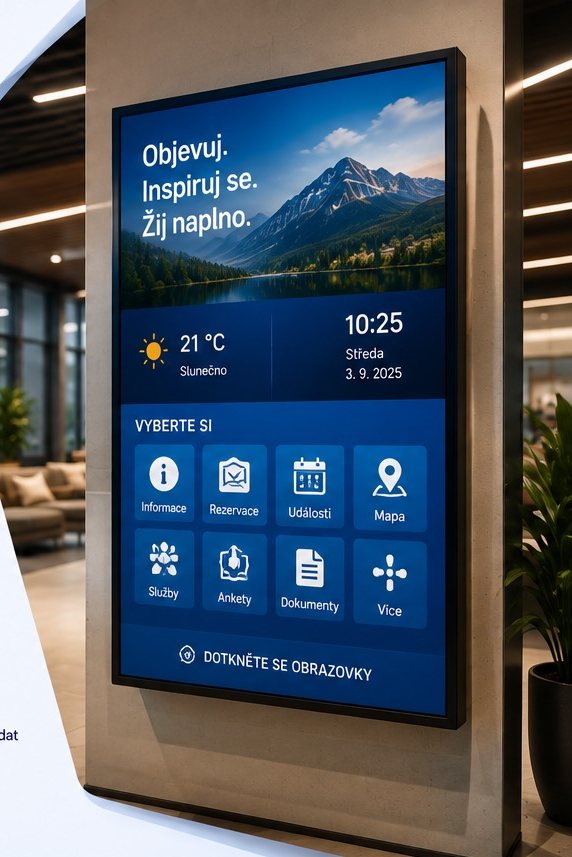
Visitor welcomes, company introductions, contact details and information to help visitors find their way.
Platform
Campaigns & advertisingMedia spaceInteractive applicationsYour identity on screenTwo layersMonitoring & controlData & automationWho it’s for
MunicipalitiesSchoolsHotels & hospitalityShopping Centres & RetailSport & fitnessAdvertising agenciesCorporate networksMore
Why ScreenSoftPartnersSupportContactLog inPrivacy & cookiesWho it’s for
Company news, practical guidance, results summaries and visitor information, clearly displayed where people need them. ScreenSoft brings the screens across your premises and branches together in one system. Manage content remotely and adapt it to the location, time and audience.
In practice
Display leadership messages, organisational changes, invitations and important dates. Adapt content to employees in individual areas or branches.
Remind people of rules for moving around the building, operational restrictions and safety instructions. Screens can complement other ways of sharing information.
Display selected indicators and summaries in a format suitable for screens. Automatic updates depend on the available data source and how it is configured.
Welcome arrivals, introduce the company and display contact details, a visit programme or information to help visitors find their way.
Display meeting agendas and information about room use. Any information pulled from calendars or bookings depends on the available source and the specific solution.
Visitors can open details on a touchscreen. A QR code lets them continue on a related page on their phone.
Combine your own notices with information from websites, RSS or other available sources. The scope of automatic content retrieval depends on the source and how it is configured.
Manage screens in one place, schedule content and decide who can publish for individual teams or branches. Monitor device status too.
Only display information intended for the people who can see the screens.
For the company and its visitors
Notices in emails, practical guidance on a board and a presentation for visitors at reception. Information is scattered, and each change requires updates in several places.
ScreenSoft lets you prepare content in one system and publish it to selected screens. Share company-wide messages while adapting local information to a particular branch, area or team.
Example of use
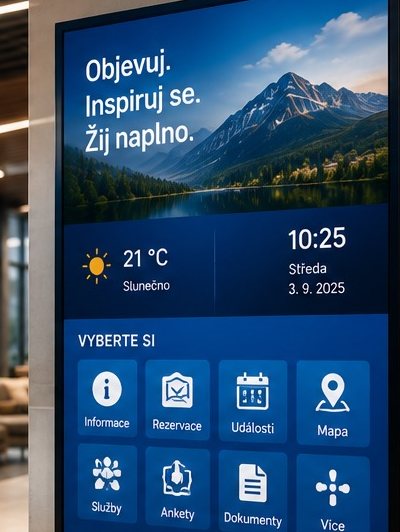
At reception, a screen welcomes visitors and introduces the company. In shared spaces, employees can see current notices and upcoming events. Another branch shows the same company message supplemented with local information.
Visitor welcomes, company introductions, contact details and information to help visitors find their way.
Current notices, important dates and operational changes.
Internal news, company events and menus, if available.
Meeting agendas and information about the use of individual rooms.
Instructions, notices and appropriate summaries intended for the relevant team.
Shared company messages supplemented with local content for individual branches.
Illustrative examples of use. Adapt the specific content and screen locations to how your company operates.
What changes
Tell us who you need to inform, where the screens will be placed and who will prepare the content. We’ll show you the options for your company, from one screen at reception to a network of branches.
Some storage is needed for the site to work at all — your language, whether you chose light or dark, and this decision. With your permission we would also measure which pages get read. Nothing else is stored until you say so.
What we store, in detailYour language, your light or dark choice, and this cookie decision. Kept in the browser, never sent anywhere. The site cannot work without them, so they cannot be switched off.
Anonymous counts of which pages are read and how far people get. It tells us what to write next. Off unless you switch it on.