

Your brand
- Logo and visual identity
- Appearance and name of the application menu
Platform
Campaigns & advertisingMedia spaceInteractive applicationsYour identity on screenTwo layersMonitoring & controlData & automationWho it’s for
MunicipalitiesSchoolsHotels & hospitalityShopping Centres & RetailSport & fitnessAdvertising agenciesCorporate networksMore
Why ScreenSoftPartnersSupportContactLog inPrivacy & cookiesPlatform
The layout of your digital screens carries your identity, not ours — down to the menu title, the galleries and the accessibility settings.
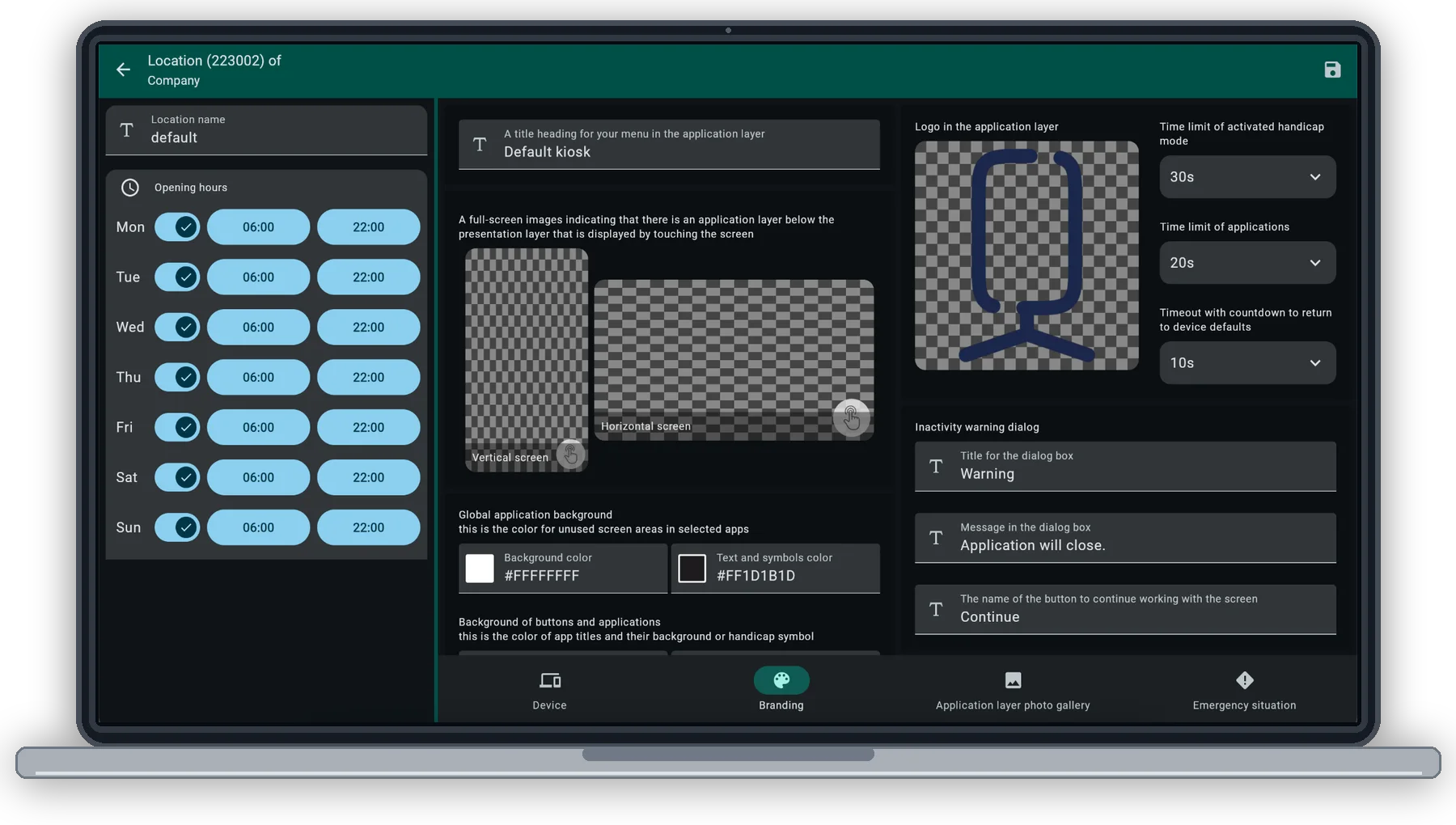
Capability
Your own logo and palette across the application menu and the screen layout.
Name the menu whatever your visitors will understand.
Ambient presentations that fill the screen between interactions.
An accessible mode with its own time limit, so the interface comes within reach.
A limit per application, and a countdown that returns the screen to its default.
Set it at the location and it applies to every device in it.
The screen should look like it belongs to whoever owns the building — not to the software behind it.
In the product
Set how screens at a location look and behave once. Your identity stays front and centre.
Next
Tell us what screens you run and where, and we will show you how ScreenSoft works on them.
Some storage is needed for the site to work at all — your language, whether you chose light or dark, and this decision. With your permission we would also measure which pages get read. Nothing else is stored until you say so.
What we store, in detailYour language, your light or dark choice, and this cookie decision. Kept in the browser, never sent anywhere. The site cannot work without them, so they cannot be switched off.
Anonymous counts of which pages are read and how far people get. It tells us what to write next. Off unless you switch it on.