

Entrance hall
Welcome messages, contacts, visitor information and current notices.
Platform
Campaigns & advertisingMedia spaceInteractive applicationsYour identity on screenTwo layersMonitoring & controlData & automationWho it’s for
MunicipalitiesSchoolsHotels & hospitalityShopping Centres & RetailSport & fitnessAdvertising agenciesCorporate networksMore
Why ScreenSoftPartnersSupportContactLog inPrivacy & cookiesWho it’s for
Clear, up-to-date notices, school activities, menus and important guidance where pupils, students and staff need them. ScreenSoft brings school screens together in one system. Update information remotely and display it in selected buildings or areas of the school.
In practice
Display timetable changes, cover arrangements, organisational guidance and dates. The school decides which information to publish and on which screens.
Highlight planned trips, competitions, open days and other events. Prepare content in advance and schedule when it appears.
Share competition results, pupils’ and students’ work, and photos from school activities. Give school life a visible presence.
Display rules for moving around the building, evacuation routes and important instructions. School screens can complement other ways of sharing information.
Make menus, timetables, school rules and other documents available in a format suitable for screens.
Display contacts, event information and visitor guidance in entrance areas. Adapt the content to its intended audience.
Combine notices with photos, videos and presentations from lessons, projects or school events.
On a touchscreen, pupils, students and visitors can open a map, school information or a related web page themselves.
Pull information from the school website, RSS or other available sources. The scope of automatic updates depends on the source and how it is configured.
Manage content remotely and decide who can publish on behalf of school leadership, the canteen or individual teams. Monitor device status too.
For the school and its visitors
Notices on boards, menus on paper and invitations to school events on doors. Information changes quickly, and staff have to keep adding to it or replacing it.
ScreenSoft lets you manage content in one place, schedule it by day and time, and publish it to selected screens. Individual screens can show different content. Set publishing permissions for the relevant teams.
Example of use
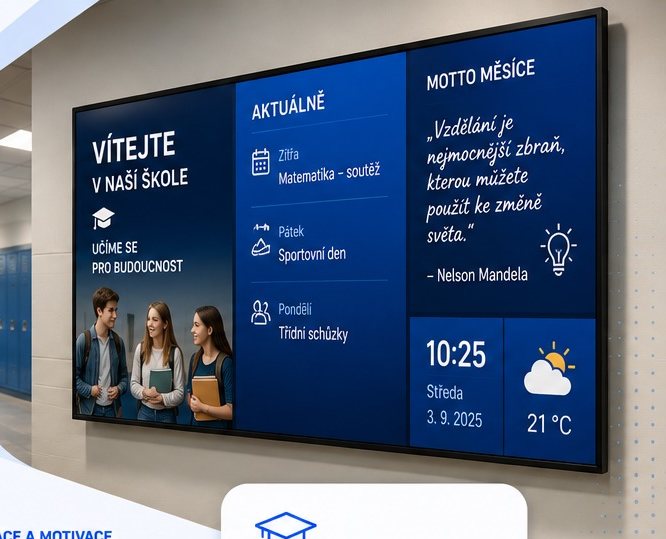
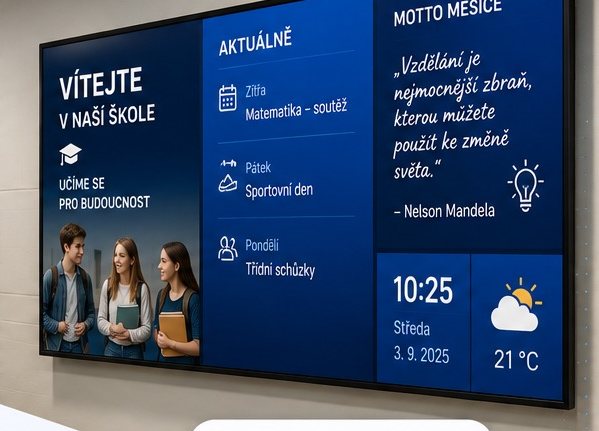
A screen at the entrance can welcome arrivals, show this week’s events and highlight an important notice. It helps visitors find their way, while pupils and students can see current information as they arrive at school.
Welcome messages, contacts, visitor information and current notices.
Timetable changes, school activities, competitions and project results.
Menus, serving times and practical information about the canteen.
Opening hours, rules for using the spaces and available school activities.
Internal notices, meeting dates and organisational guidance for the relevant teams.
Shared messages for the whole school alongside different content for individual buildings.
Examples of use in primary and secondary schools and higher education institutions. The school determines the specific content and how it is published.
What changes
Tell us where you want to display information and who will prepare the content. We’ll show you the options for your school, from one screen at the entrance to multiple buildings.
Some storage is needed for the site to work at all — your language, whether you chose light or dark, and this decision. With your permission we would also measure which pages get read. Nothing else is stored until you say so.
What we store, in detailYour language, your light or dark choice, and this cookie decision. Kept in the browser, never sent anywhere. The site cannot work without them, so they cannot be switched off.
Anonymous counts of which pages are read and how far people get. It tells us what to write next. Off unless you switch it on.