

Platform
See every screen.
From your pocket.
Watch what is playing right now, take control of it remotely, and manage the whole estate — devices, locations, people and permissions — from one place.
Capability
What it does
Live remote view
See what is on any screen at this moment, from any device.
Touch to control
Use your phone to control the screen as though you were standing in front of it.
Device commands
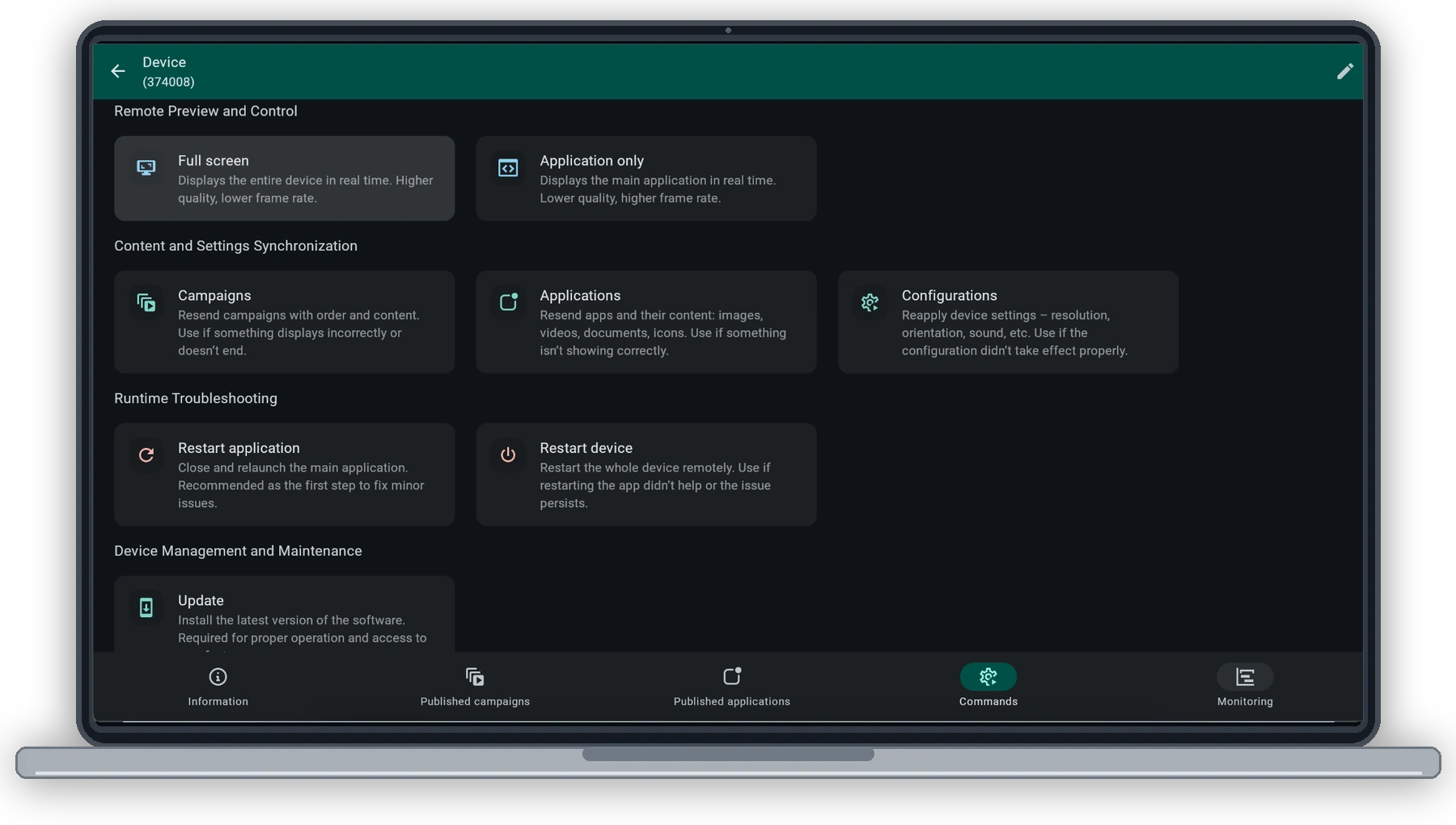
Live preview, application restart, device reboot, resending settings, applications or the playlist, software updates, remote console and device registration.
Screen settings
Rotation, resolution, aspect ratio and volume, set per device.
Monitoring log
Hourly connection history per device, so an outage is a record rather than a rumour.
Location scheduling
On and off times per weekday for a whole location — which cuts wasted hours and extends screen lifespan.
Permissions per person
View, add, edit and delete, set separately across locations, users, media, devices and both content layers.
Scheduling screens to switch off when no one is there can extend their lifespan — and it is controlled directly in ScreenSoft.
In the product
Watch and control your screens. From anywhere.
See what is currently displayed and interact with a screen remotely as though you were standing in front of it. Use a mouse on your computer or touch controls on your phone to navigate interactive content and check the actual result without unnecessary site visits.

Operational oversight
Spot an outage before someone reports it.
ScreenSoft continuously monitors the status of your entire network. From one place, you can immediately see which devices are online, which have disconnected and how long their current status has lasted.
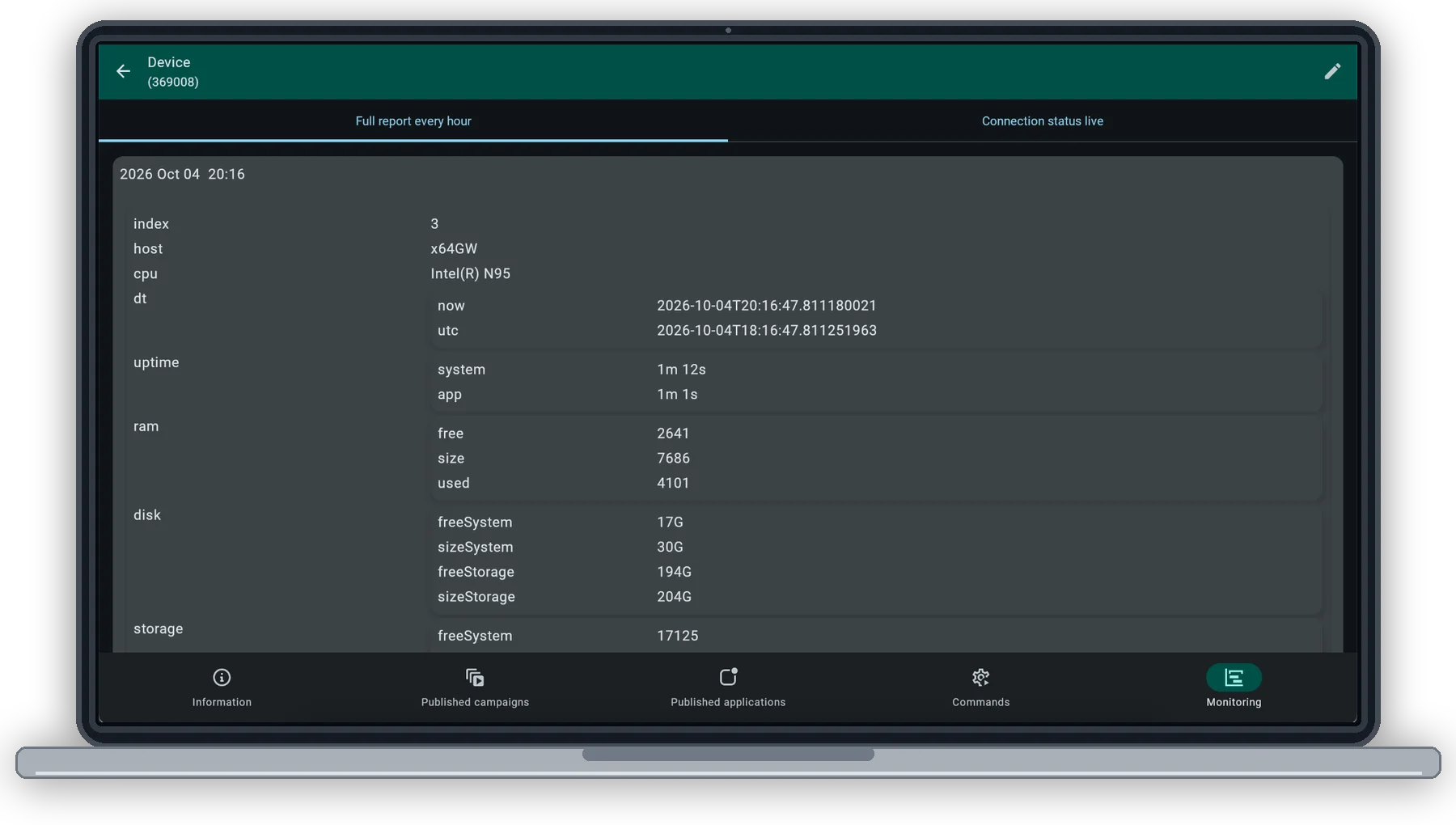
Every screen includes an hourly connection history. Open any record to view technical information about the device, system and application uptime, memory usage and available storage. Troubleshooting starts with concrete data rather than guesswork.
Know what happened to a device before you start troubleshooting.
Remote management
Remote control and device maintenance
All essential service commands in one place.
View a live screen preview, resend campaigns and applications, update device settings, or restart the application or the entire device. Resolve common issues without visiting the installation.
Next
See it on your own screens.
Tell us what screens you run and where, and we will show you how ScreenSoft works on them.