

Ad space as a product
Sell available screen capacity and manage advertising campaigns.
Platform
Campaigns & advertisingMedia spaceInteractive applicationsYour identity on screenTwo layersMonitoring & controlData & automationWho it’s for
MunicipalitiesSchoolsHotels & hospitalityShopping Centres & RetailSport & fitnessAdvertising agenciesCorporate networksMore
Why ScreenSoftPartnersSupportContactLog inPrivacy & cookiesPlatform
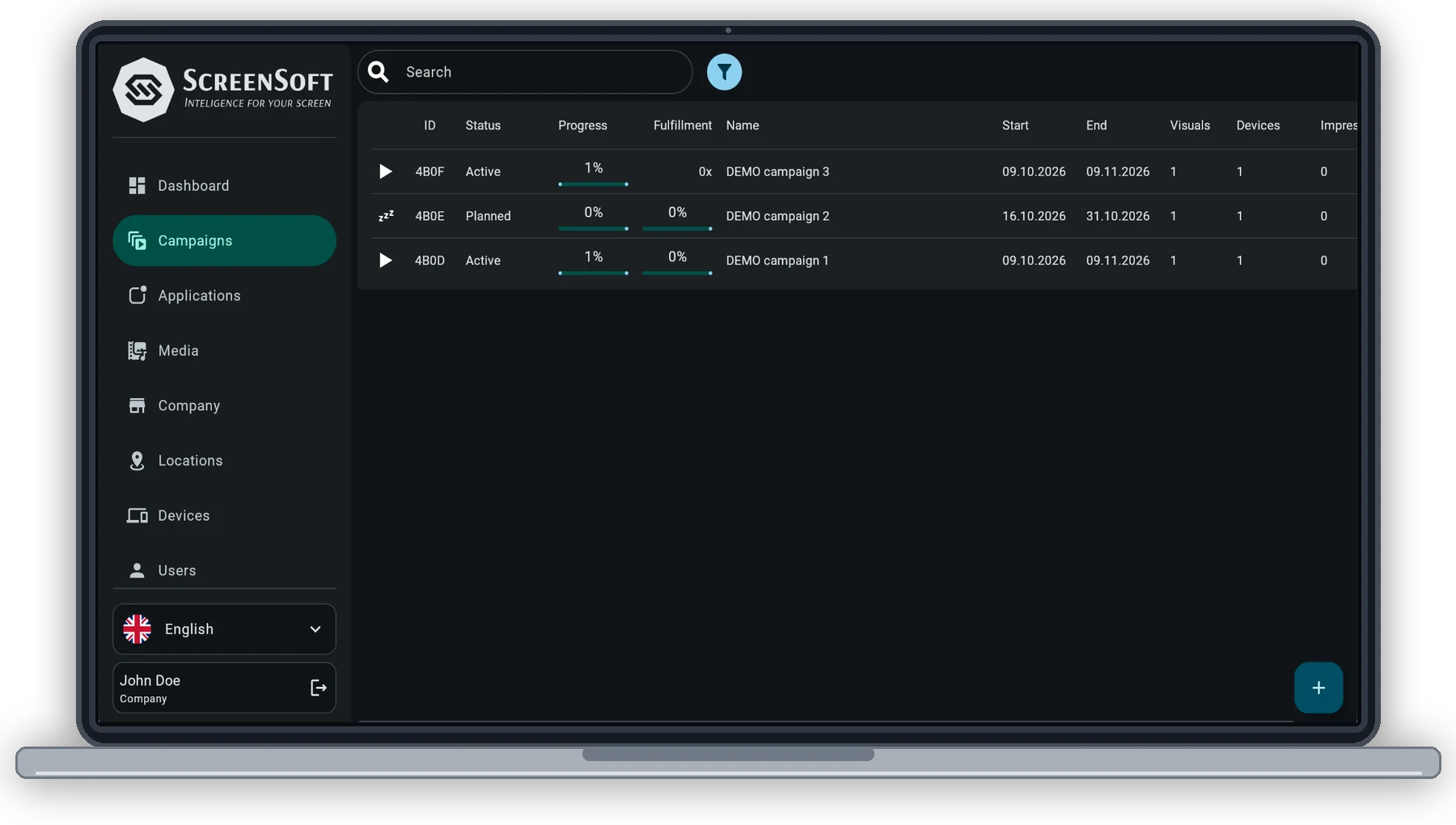
Upload your images or video once, choose where and when they should play, and publish them to a single screen or your entire network. As you build the campaign, ScreenSoft automatically calculates available media space and the expected number of plays.
Capability
Pictures or video, published to one screen or the whole network, in real time, from a laptop or a phone.
Set how often a visual appears in an hour, and the system holds to it.
Allocate a fixed percentage of media space to a campaign, or reserve a dedicated slot in the loop.
Every visual’s duration is included in the calculation, so a longer file does not silently reduce another campaign’s share.
Slots, slot duration, days and the expected and maximum number of plays — all calculated while you build the campaign.
Detailed reporting comes with each one, so delivery is a number rather than a promise.
The scheduling logic keeps a campaign aligned with what was actually sold — rather than simply filling whatever space happens to be available.
ScreenSoft · Advertising
ScreenSoft is more than a content player. It helps you plan, manage and sell advertising space — from a single screen to a large network.
Sell available screen capacity and manage advertising campaigns.
Two company-level planning modes: by slots or by the number of plays.
Planning accounts for capacity, spot duration and playback rules.
Combine advertising with supported interactive applications.
Set conditions based on time, day and supported weather data.
Track campaign progress and playback reports.
Next
Tell us what screens you run and where, and we will show you how ScreenSoft works on them.
Some storage is needed for the site to work at all — your language, whether you chose light or dark, and this decision. With your permission we would also measure which pages get read. Nothing else is stored until you say so.
What we store, in detailYour language, your light or dark choice, and this cookie decision. Kept in the browser, never sent anywhere. The site cannot work without them, so they cannot be switched off.
Anonymous counts of which pages are read and how far people get. It tells us what to write next. Off unless you switch it on.