

Platform
Advertising on top.
Interactive underneath.
Two distinct layers on one screen. Run either on its own, or both at once — which is what lets a single display sell media space and serve the public at the same time.

Capability
What it does
Presentation layer
The top layer: advertising, announcements, non-commercial visuals, weather, time and live data.
Application layer
The bottom layer: applications, documents, websites, RSS feeds and galleries.
Either, or both
Enable one, the other, or run them together.
A clear touch prompt
With both active, an overlay icon signals that there is something to touch.
Touch reveals
Touching the screen opens the application layer and temporarily hides the advertising.
Automatic return
Use the arrow to return to the presentation layer. The screen also returns automatically after a period of inactivity.
One screen, two jobs, and neither gets in the other’s way.
Two layers
Advertising on top. Interactive underneath.
Run either layer on its own, or both at once. Touch the screen below.
Both layers, on one device

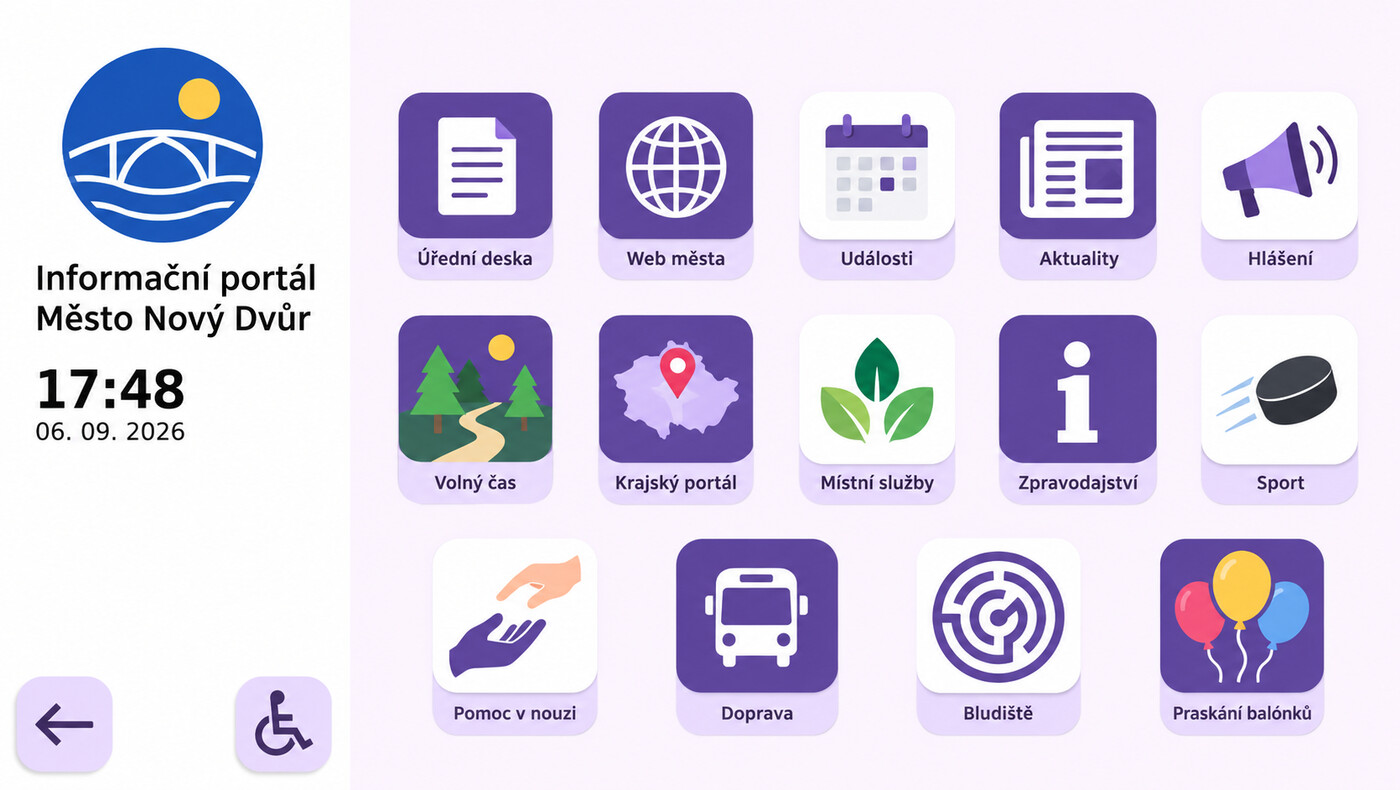
Try touching the screen
The top presentation layer carries advertising and non-commercial visuals. The bottom application layer carries interactive content — documents, websites, RSS feeds, galleries.
With both enabled, advertising plays on top with a small overlay icon signalling there is something to touch. Touching reveals the application layer and temporarily hides the advertising. Use the arrow to return to advertising, or wait for the screen to return automatically after a period of inactivity.
That is what lets one screen sell media space and serve the public at the same time, without the two getting in each other’s way.
Filmed on site
The application layer, in the street
The presentation layer gives way to something a passer-by can actually use, then returns to advertising on its own. This is the second layer doing its job through a shop window.
A shop window that responds
A prize wheel running on the application layer of a shop-window screen. The customer spins it through the glass, wins, and the screen hands back a QR code — no app to install, no staff involved. Filmed on site.
Next
See it on your own screens.
Tell us what screens you run and where, and we will show you how ScreenSoft works on them.